If Horde Siege Weapon Parts disappear after a crash, first check whether your squad completed extraction and whether your post-match account balance actually changed. In E-Day's October 7, 2026 launch baseline, mission-collected Weapon Parts are kept only when your squad successfully extracts; at least one member of your squad must get out. There is no confirmed procedure that guarantees restoration of parts lost after a crash or disconnect.
A Steam reply from October 1 describes receiving XP after crashes while losing other rewards. The thread's original report is from the August beta and describes a different reconnect outcome. Neither establishes a universal launch rule for every disconnected player. Preserve the details of your own match before trying another long farming run.
Separate a mission tally from your retained balance
Weapon Parts seen during a mission are not the same as parts available for permanent upgrades afterward. The run still has to meet the extraction condition. Seeing a large tally before a crash therefore does not establish that those parts were already retained by your account.
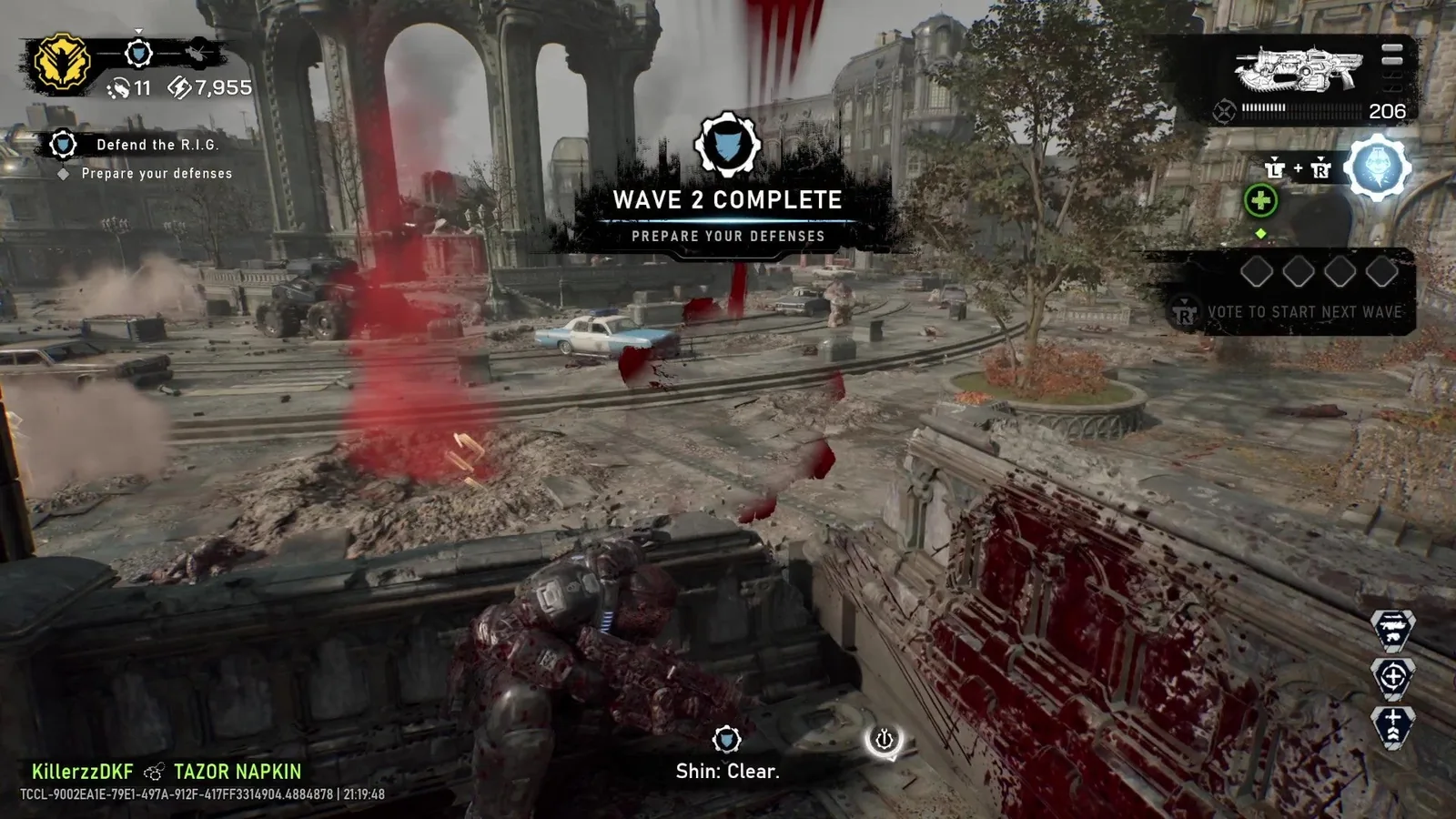
The mission HUD lists Weapon Parts separately from Energy; a collected-parts tally alone does not establish that extraction banked the reward.
Compare the part balance you had before the run with the balance shown after you return to the game. If you bought a mod between those checks, account for that purchase as well. A lower balance after spending is not evidence that the crash removed a previous mission reward.
Keep these observations separate:
- Parts collected during the affected mission.
- Parts available before the mission.
- Parts available after returning to the lobby or loadout.
- Any part purchase made before or after the crash.
- Whether the squad successfully extracted.
You do not need a perfect transaction log to begin. Even a screenshot before the next run and one after the results screen can distinguish provisional collection from retained progression.
Check what actually finished
Horde Siege is not finished when the final main objective ends. Your squad must clear the landing zone, survive until the Raven arrives, and get at least one member out. The extraction rule matters even after a productive run with several secondary objectives.
| Match outcome | What is established | What still needs checking |
|---|---|---|
| No squad member extracted | The mission did not meet the part-retention condition | Any other progression awarded separately |
| A squad member extracted while you remained connected | The squad completed the extraction requirement | Your results and retained part balance |
| You crashed and later rejoined | A session interruption occurred | Your individual results after the squad's outcome |
| You crashed before the squad finished | The run's outcome was unresolved at your exit | Whether the squad extracted and what your account received |
| You returned to a failed mission | Failure can award partial XP | Whether the apparent loss was mission parts rather than another resource |
The official extraction condition does not provide a guarantee for how every reconnect or disconnected account is credited. Do not infer that all rewards must survive a crash merely because one teammate reached the helicopter.
Keep XP, Energy, perks, and parts distinct
Energy is collected by the squad during the run and spent at Supply Caches on equipment, weapons, and Squad Perk upgrades. Squad Perks expire when the mission ends. Neither is a permanent Weapon Part balance to recover after leaving a match.
Weapon Parts are used for permanent weapon customization. A class progression track unlocks access to Weapon Mods, which must then be purchased with parts before they can be equipped. The official multiplayer description also says some parts are awarded through class progression.
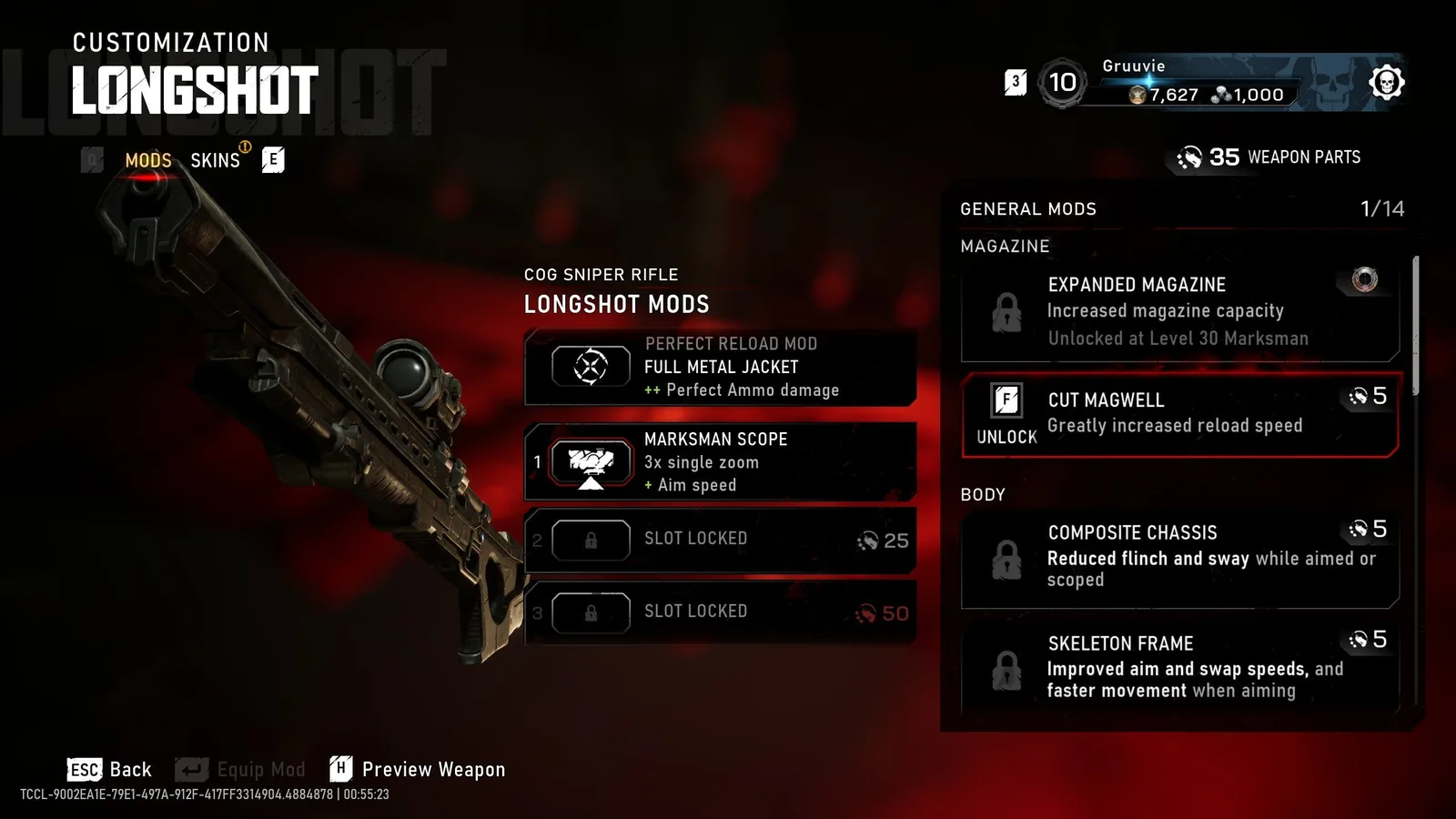
The Weapon Parts balance and mod cost belong to weapon customization, separately from the account Coin and Iron balances.
Class XP and Player XP are separate progression categories from Weapon Parts. The mode's documented failure outcome includes partial XP when squad lives are exhausted. That means an XP increase without mission parts is not, on its own, proof that the part-retention system malfunctioned.
For a support report, state the exact category missing. “Lost everything” obscures whether XP advanced, temporary perks ended normally, or mission-collected parts failed to appear after a successful extraction. Different categories can have different outcomes in the same interrupted run.
Use the crash reports with their actual dates
The August 16 beta report describes freezes or crashes followed by reconnection, with the affected player's Weapon Parts and EXP shown as zero while teammates retained their progress. That report explicitly discusses beta play and its reset before the full game.
The October 1 reply describes two crashes during long Horde matches and says XP was received while other rewards were missing. This is an early-access report, but it does not document every part of the extraction outcome or establish a repeatable recovery method.
The distinction prevents two inaccurate conclusions. You cannot use the beta report to promise that reconnecting always resets both XP and parts in the launch game. You also cannot use the October reply to promise that every crash always preserves XP. Treat your own observed result as the thing to check.
The October 5 update contains broad stability improvements. It does not announce a comprehensive restoration service for historical crash losses. An update can reduce some failures without returning rewards from an already interrupted mission.
After a crash, preserve the match context
Reopen the game normally and inspect the current part balance and class progression. If you have an available legitimate way to rejoin the same squad, you can attempt it, but do not describe rejoining as guaranteed reward recovery. Keep the interruption time and the point in the mission recorded.
Ask your squad what happened after you disconnected. Record whether they completed main objectives, reached extraction, and boarded. Their account of the outcome helps distinguish a failed run from a reward problem after successful extraction, but it is not a substitute for your own account result.
Avoid immediately spending parts or starting several more matches before taking a screenshot. That makes the affected run's balance harder to reconstruct. If the results screen appears, retain it along with the balance you see afterward.
Do not delete local saves or cloud data. Those actions do not establish a route for restoring server-connected mission rewards and can damage unrelated campaign progress. Likewise, reinstalling should not be presented as a way to add missing parts to an account.
Protect the next run with the extraction condition in mind
Until stability is clearer on your setup, prioritize finishing a manageable mission over extending every run for optional rewards. This is a risk-management choice, not a proven fix or a promise of better parts per hour.
The official playlist descriptions give Blitz as a shorter experience with one or two objectives, while Siege and Horde can involve longer commitments. Choosing a shorter mission can reduce the time exposed to a recurring local failure, but the run still has to extract. A short failed mission does not meet the retention rule either.
Do not quote beta farming yields as current targets. The September 30 launch tuning reduced Weapon Part rewards from invasion participation and Weapon Part Stockpiles and increased invasion difficulty. A large beta reward screenshot is not a reliable benchmark for the amount you should retain now.
Make the group decision explicit: if your goal is retained parts, stop adding optional activities once the team is ready to complete the run safely. The best-looking provisional tally has no value to that goal if nobody extracts.
Keep someone available to finish extraction
At least one player from your own squad must extract. A player from another squad leaving the map does not replace your squad's completion requirement. Horde Siege's twelve players operate as three squads, so map-wide survival and your squad's outcome are different things.
Plan the final approach together. Support a teammate moving toward the landing zone instead of sending everyone on a late optional objective. If an invasion blocks extraction, respond to that event and resume the extraction objective when the restriction is cleared.
The October 5 update fixes the extraction helicopter failing to appear during a Plaza Ruins Blitz mission. That specific correction is relevant if the run became stuck there, but it does not announce a fix for every crash, reward discrepancy, or extraction failure on every map.
A successful escape is the documented requirement; it is not a guarantee that technical interruptions cannot affect credit. After the mission, verify the results rather than assuming that the condition alone answers every reward question.
Reduce repeat crashes with controlled checks
Install the available game update and check your PC launcher for incomplete downloads or a damaged installation. If you play on PC and the same setup repeatedly crashes, verification, compatible GPU drivers, default hardware tuning, and a reversible overlay test are reasonable diagnostic checks.
Do them separately. If the game becomes stable after several simultaneous changes, you have no clear indication which one mattered. More importantly, a successful brief launch is not proof that the original long Horde mission failure is resolved.
Keep the graphics baseline modest while investigating recurring crashes and record any error message. On any platform, include whether the whole game closed, only the session disconnected, or the game remained frozen. Those symptoms should not be merged into a single “crash” label if you can distinguish them.
The aim of these checks is to reduce future interruptions. They do not restore a past mission tally, and you should not attach a restoration promise to a settings change.
Submit a reward report that can be assessed
Report the issue through Gears support with platform and launcher, update status, map, playlist, difficulty, class, and the date and approximate time of the match. Add what the squad completed and whether at least one of your squad members extracted.
Include the balance before the run if available, the provisional tally seen before the crash, and the balance afterward. State whether you rejoined and whether your teammates received their rewards. Describe XP separately instead of inferring part credit from a level increase.
Attach the results screen, crash message, or a short clip if you have them. Keep private account credentials and unrelated device identifiers out of public screenshots. If you do not know the squad's final outcome, say so rather than inventing a successful extraction.
There is no supported guarantee of manual reimbursement in the confirmed launch information. The verified endpoint is a corrected balance you can actually see or a support response that resolves the account issue. Until then, preserve the match evidence and verify retained rewards after shorter, completed runs before returning to long farming sessions.