Gears of War: E-Day does not support native local split-screen on PC. This applies to the Windows versions available through Microsoft/Xbox and Steam. Connecting a second controller, using a television as the monitor, or launching the game through the Xbox app does not add a second local player.
PC players can still play the campaign cooperatively, but each player must join through online co-op from a separate system. The campaign supports up to four players online. If two people specifically want to share one system and one display, the supported alternative is the Xbox Series X and S version, which offers two-player local split-screen for the campaign.
That distinction matters because “four-player campaign co-op” does not mean that four people can share a PC. Four is the online campaign limit; the only supported local arrangement is two players on an Xbox Series console.
The supported choices at a glance
| Setup | Supported | Player arrangement | Main limitation |
|---|---|---|---|
| One PC with two controllers | No | No second local player | The PC build has no native split-screen mode |
| One PC with keyboard and controller | No | Both inputs cannot create separate local campaign players | Changing input devices does not change platform support |
| Two or more PCs | Yes | Up to four players in an online campaign squad | Every player joins the online session from a separate system |
| One Xbox Series X or Series S | Yes | Two local players in campaign split-screen | Local play is limited to two players and the campaign |
| Three or four campaign players | Yes, online | One online player per participating system | A four-person group cannot share one console through split-screen |
| Horde Siege or Versus | Online only | Players join their respective online modes | The console split-screen option is not available for these modes |
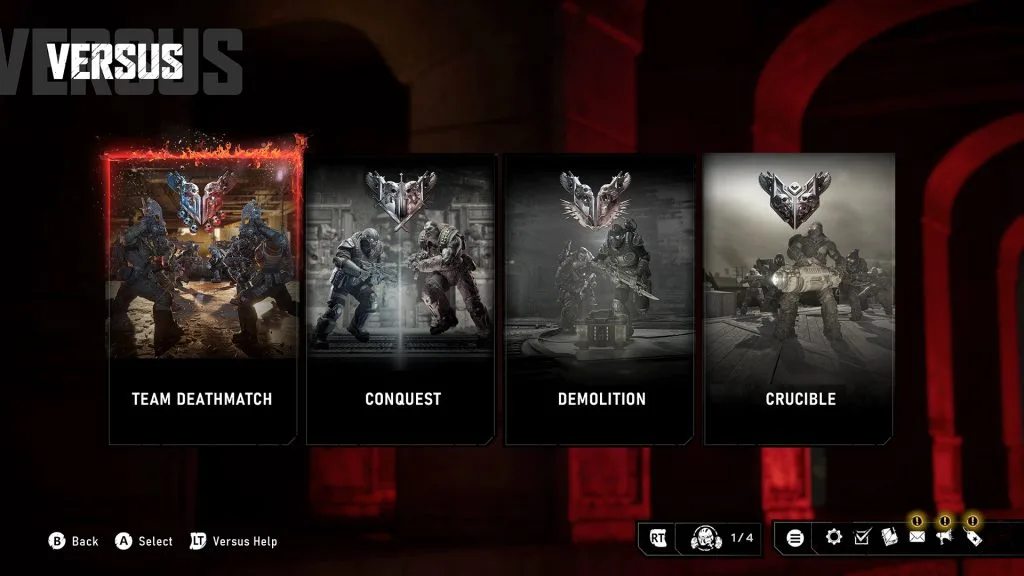
This is the Versus menu. Campaign co-op uses a separate choice; these entries do not establish PC split-screen support.
The practical choice is therefore simple. Stay on PC if separate systems and an online session are acceptable. Use Xbox Series X and S if sitting together in front of one screen is essential. There is no supported setting that converts the PC release into a couch co-op build.
Why extra controllers do not enable PC split-screen
Split-screen is a game feature, not merely a controller-detection feature. A PC may recognize two gamepads, but Gears of War: E-Day still needs a local multiplayer mode capable of assigning each controller to a separate player, rendering two views, and adding both players to the campaign session. The PC build does not provide that mode.
The same limitation applies when one player uses a keyboard and mouse while the other uses a controller. Two recognized input methods do not create two independent characters. They remain inputs connected to a PC version that lacks a second local campaign slot.
Display changes do not solve it either. Connecting the PC to a large television, duplicating the picture to another monitor, or using an ultrawide display only changes where the existing view appears. It does not divide the game into two independently controlled views.
The online player count can also cause confusion. E-Day supports a four-player online campaign, but those players join a networked squad. That feature is separate from local split-screen. On PC, the supported cooperative path is an online session with each player running the game on a separate system.
Treat the missing local option as a platform boundary rather than a malfunction. If no second-player prompt appears after attaching another controller to a PC, reinstalling the game or changing graphics and input settings is not the relevant fix. The expected PC behavior is a single local player.
The supported PC alternative: online campaign co-op
Two people who want to play from PCs can use the online campaign instead of trying to force a local session. This preserves cooperative campaign play, although each player sees the game on a separate display.
Use this setup:
- Prepare a separate PC for each player. Each system must be able to launch Gears of War: E-Day for the person using it.
- Launch the game on both PCs and reach the game menus.
- Open the Social menu on the host’s system.
- Add or select the other player from the available friends list.
- Send a squad invitation and have the second player accept it.
- Confirm that both players appear in the same squad before starting the story.
- Start the campaign and choose the appropriate session.
This method is not split-screen. Each player receives a full view on a separate PC, and the session uses the game’s online campaign system. It is nevertheless the direct, supported replacement when both players want to remain on PC.
The online campaign is not limited to a pair. It supports as many as four players, so a two-person PC squad can invite additional online players without changing to a different campaign mode. The four playable members of Bravo Squad are available from the beginning; the group does not need to unlock a character before another player can fill that role.
Requirements to check before starting
Confirm the following before organizing the session:
- Every participant has a separate system from which to join.
- Every participating PC can launch the game under the player who will use it.
- The players can reach the Social menu and see or add one another.
- Everyone accepts the squad invitation before the host begins the campaign session.
- The group intends to play online rather than share one local PC view.
Do not assume that the presence of the game on multiple storefronts automatically answers ownership or account questions. Platform access and purchase entitlements are separate from split-screen support. Confirm that each intended system can launch the game before arranging the session.
Differences from couch co-op
Online co-op gives every PC player a dedicated display instead of dividing one screen. It also lets the campaign squad expand from two players to three or four. The tradeoff is that it requires separate systems and an online session rather than one computer placed in front of two people.
Moving both PCs into the same room can reproduce the social part of couch play, but it remains online co-op. The game will not merge those two machines into a local split-screen session, and neither machine will display both player views.
The same-screen alternative on Xbox Series X and S
For two people who must share one console and one display, use the Xbox Series X and S release. E-Day supports two-player local split-screen in its campaign on those consoles.
Set up the local campaign in this order:
- Connect a second controller to the Xbox Series X or Series S.
- Sign that controller into a separate Xbox profile for the second player.
- Launch Gears of War: E-Day.
- Enter the Campaign mode.
- Use the on-screen join prompt to add the second player.
- Confirm that the display changes to split-screen before continuing the campaign.
The second profile is part of the supported setup. Simply turning on another controller without assigning the second player to a profile is not the complete joining process. Connect the controller, sign in the second player, and then use the campaign join prompt.
Local split-screen is limited to two players. The campaign’s four-player capacity applies to online co-op and should not be read as permission for four people to share one Xbox. If three or four people want to play through the story together, use an online campaign squad instead.
The local feature is also campaign-specific. Horde Siege and Versus require their online multiplayer arrangements; entering those modes will not provide the two-player campaign split-screen layout. On Xbox, online campaign co-op and other online multiplayer features require a subscription that includes console online multiplayer, but that online requirement should not be confused with the campaign’s local two-player option.
Mode-by-mode local and online limits
The mode name matters when deciding whether a second player can join locally.
| Mode and arrangement | Current support |
|---|---|
| Campaign solo on PC | Supported |
| Campaign with two people on one PC | Not supported |
| Campaign with two to four PC players on separate systems | Supported through online co-op |
| Campaign with two people on one Xbox Series console | Supported through local split-screen |
| Campaign with three or four people sharing one Xbox | Not supported as local split-screen |
| Horde Siege in local split-screen | Not supported |
| Horde Siege online | Supported as a 12-player mode organized into three four-player squads |
| Versus in local split-screen | Not supported |
| Versus online | Supported as 4v4 multiplayer |
If the goal is to experience the story together, both the separate-PC online setup and the same-console Xbox setup lead to campaign co-op. They differ in hardware arrangement, screen layout, and player limit. If the goal is Horde Siege or Versus, plan for online play rather than local split-screen.
Checks when the second player cannot join
First identify the platform. On PC, the absence of a local second-player prompt is expected because native split-screen is not included. Do not spend time searching the graphics, display, accessibility, or controller menus for a switch that enables it.
On Xbox Series X and S, check the supported sequence instead:
- Verify that the selected mode is Campaign, not Horde Siege or Versus.
- Confirm that the second controller is connected to the console.
- Confirm that the second controller is signed into a separate Xbox profile.
- Look for and use the campaign’s on-screen join prompt.
- Make sure both players have joined before proceeding into the campaign.
These checks distinguish a setup problem from a platform limitation. A second controller that works in the Xbox interface but has no assigned second-player profile has not completed the local co-op setup. A controller connected to a PC, by contrast, cannot expose a feature that the PC build does not support.
Avoid treating unsupported software, unofficial modifications, or remote-control tools as equivalent to native split-screen. A legitimate alternative should use one of the game’s documented multiplayer paths: online campaign co-op on separate systems or two-player campaign split-screen on Xbox Series X and S.
Choosing the right setup
Choose according to the result that matters most:
- Keep both players on PC: Use two separate PCs and invite the second player through the online campaign’s Social menu.
- Share one display and one system: Use an Xbox Series X and S with two controllers and two player profiles.
- Play the campaign with three or four people: Form an online campaign squad; local split-screen cannot hold the entire group.
- Play Horde Siege or Versus: Use the relevant online mode rather than planning around split-screen.
- Use one PC with two controllers: There is no native local configuration for this arrangement.
For the exact keyword scenario—Gears of War E-Day split screen on PC—the answer remains no. The closest supported PC experience is online campaign co-op on separate machines. The supported same-screen experience is the two-player campaign on Xbox Series X and S.